From a Wispr to a Roar
Why a voice-to-text tool became the most useful AI-adjacent app in my workflow, and how Wispr Flow helps me catch ideas before they disappear.

For anyone who makes things for a living, the hardest part usually isn't having the idea. It's getting it out of your head while it's still alive. A pitch shows up all at once: the open, the angle, the talent, the line that sells it. Then you sit down to type and it comes out one word at a time, and by the third sentence the best part has slipped away.
When the ideas are fast and flowing (yes, pun intended), typing can't keep up. So this week I want to talk about one of the best tools I use. It started as a way to talk to AI faster, and now it runs through my whole day: Wispr Flow.
Why a utility matters this much
Voice-to-text sounds about as glamorous as a stapler. But in media, the ideas that matter show up at bad times: in the car, between meetings, halfway through a sentence about something else. You get a few seconds before they fade.
Wispr Flow lets me catch lightning in a bottle the second it strikes, without the physical limits of typing slowing me down. The time it saves is real, and I'll get to the numbers. But what matters most are the ideas that would have died between my head and the keyboard.
The numbers
Wispr Flow keeps a running count. Since April I've spoken a little over 196,000 words through it at 102 words per minute. I use it on workdays, not weekends, holidays or vacation, so that's more than 1,600 words a day across about 122 days.
I type at 70 to 80 words per minute, which is already quick. At 75, those words would have taken about 43.5 hours at a keyboard. Speaking them took about 32. That's roughly 11.5 hours saved, close to half an hour a week, and on pace for about 23 hours a year, nearly three full workdays back. Even after cleanup, Wispr Flow puts my effective typing speed at 94 words per minute, and it's made more than 8,200 fixes along the way.
The company says Wispr Flow is four times faster than typing. That's against the average typist, so a fast typist won't see 4x. Either way, the hours were never the point.
What it does, and how I use it
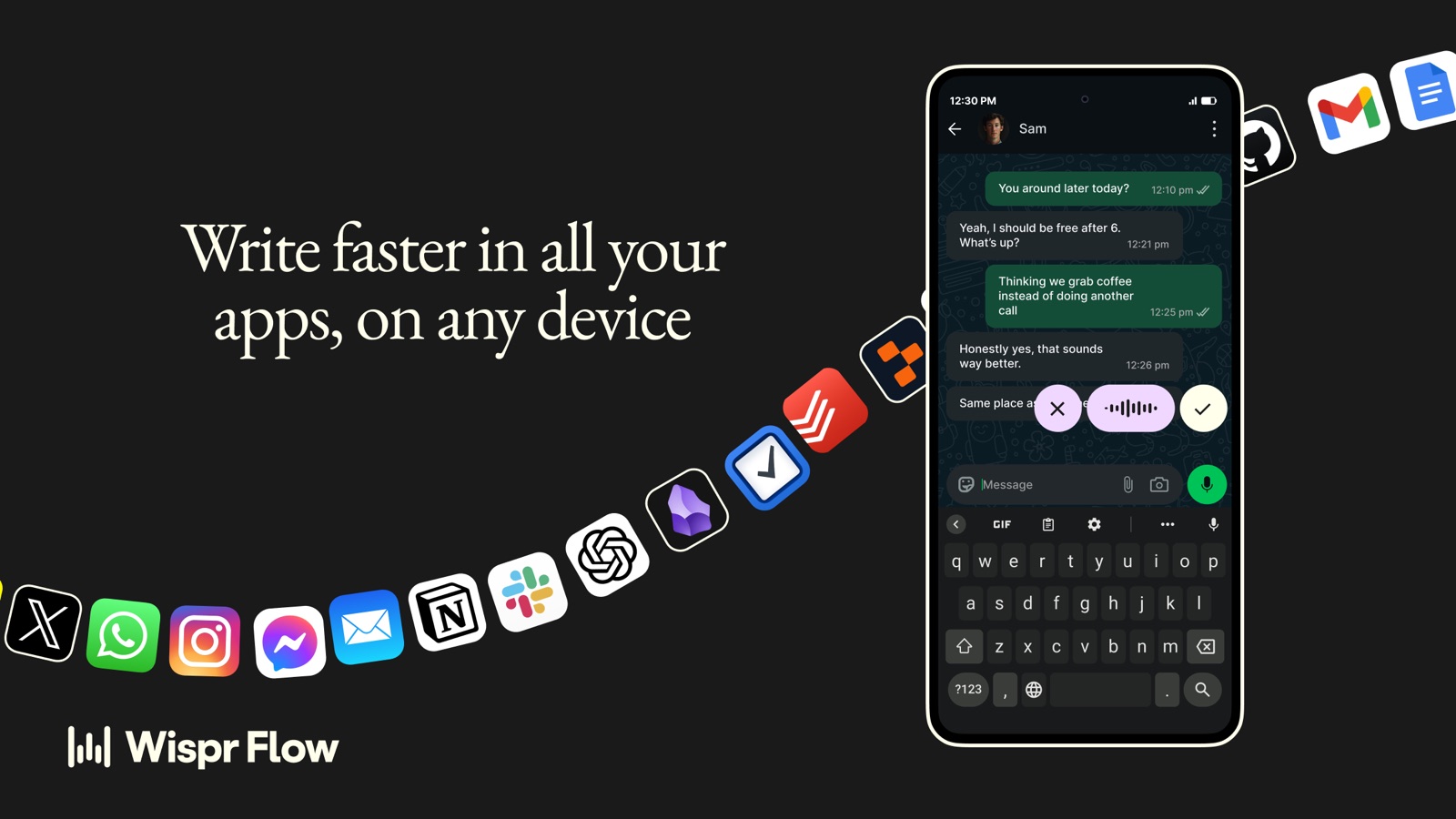
It works everywhere you type. Hold a key, talk, let go, and clean text lands wherever your cursor is: Gmail, Slack, Google Docs, or a chat window with Claude or OpenAI's ChatGPT. It runs on Mac, Windows, iPhone and Android and syncs across all of them. The same keystroke drafts an email, a pitch and a prompt for one of my AI agents.
It edits as you talk. Wispr Flow drops the "ums," punctuates from your pauses and understands when you change your mind mid-sentence ("let's post Tuesday… actually, Thursday"). I think out loud, backtrack and all, and what lands reads like I meant it the first time. So far it's cleaned up more than 5,300 words where I stuttered, stumbled or mispronounced something.
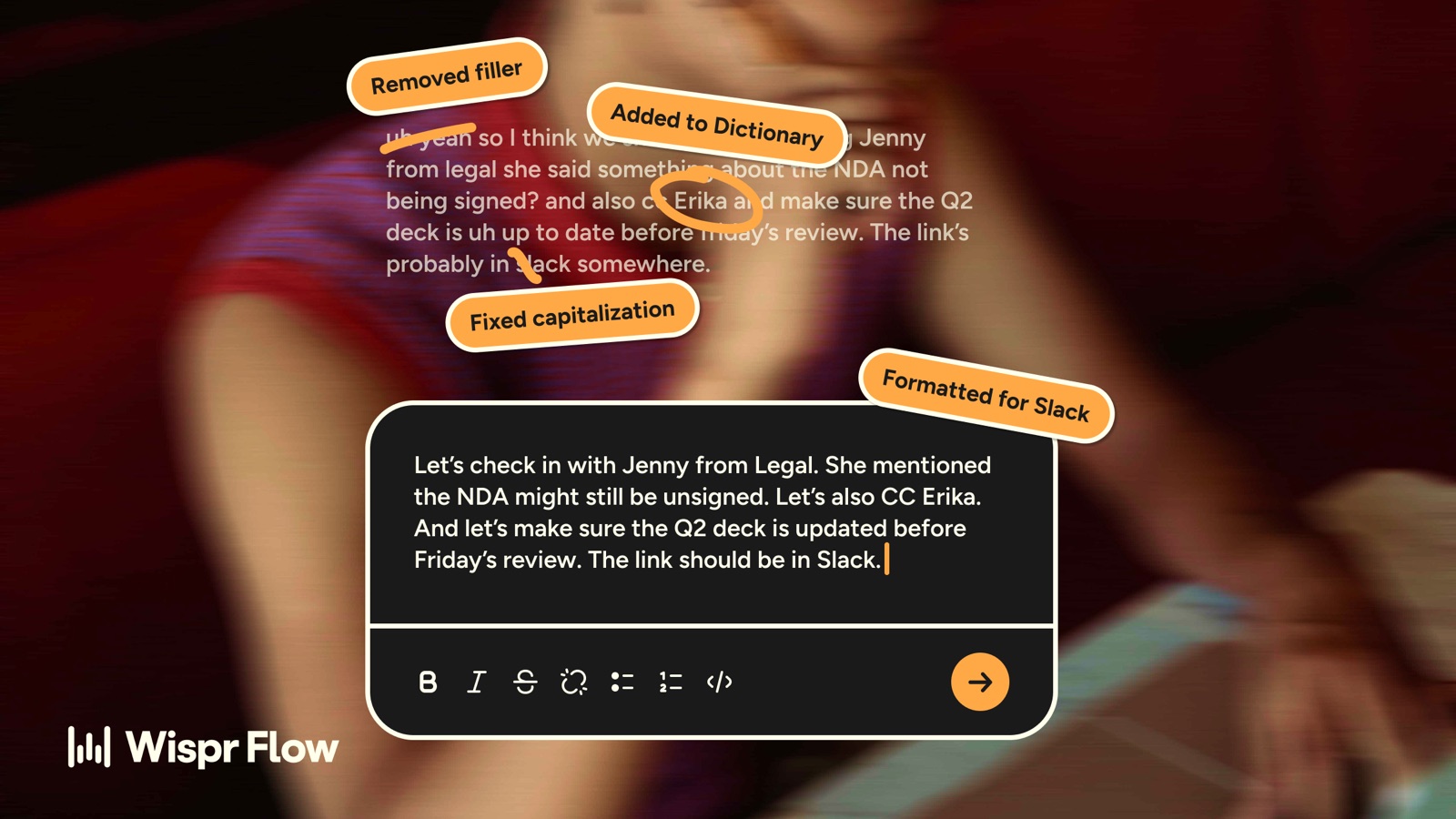
It learns your words. Wispr Flow's Dictionary learns the names and jargon you correct. Habitat GSF, Snapchat Discover, The Turnaround and the names of the people I write to every week all come out right. That's more than 2,900 dictionary fixes so far: last names that aren't spelled the way they sound, abbreviations and acronyms that ordinary voice-to-text would never catch. Snippets and Styles round it out: a short phrase drops in my site link or sign-off, and a Slack reply sounds like Slack while an email sounds like an email.
It finally fixes texting by voice. We've all fought with voice-to-text on our phones. You're trying to text the family group chat about the weekend or work out where to meet a friend, and you get a garbled run-on you have to fix word by word. On iPhone, Wispr Flow lives in your keyboard, so the same cleanup works in Messages, WhatsApp and everywhere else. This is where it really puts talking to Siri to shame. "Meet you at 6:30 at the usual spot… actually, make it 7" comes out right the first time, and I hit send instead of retyping.
It's built for building. Wispr Flow handles technical language like file names, variables and tool names. This is where it started for me. When I'm building bespoke agents, I'm writing long, specific instructions about voice, audience and guardrails. Talking them through gets more of my thinking into the prompt than typing ever did, and the agents are better for it.
Notetaker. Wispr Flow also takes notes in meetings. It transcribes the call and writes a summary with the notes, attendees and tasks, and through its connections to Claude and ChatGPT, all of it goes into the AI tools I already work in. This is the one I'd miss most. My meetings feed into Claude or OpenAI's ChatGPT, and it keeps a running list of my action items and the deliverables I'm responsible for. When a call ends, I don't have to piece together who owes what. I ask what's on my plate and it's already there. I still decide what comes first.
The ideas are still mine
That's how I think about AI in general. The ideas, the judgment and the voice are still mine. The tool clears the path between having a thought and putting it to work. Start with a whisper and get to a roar.
Using Wispr Flow, or another tool that's changed how you work? Tell me: bryce@powellstreetmedia.com.
See you next week.